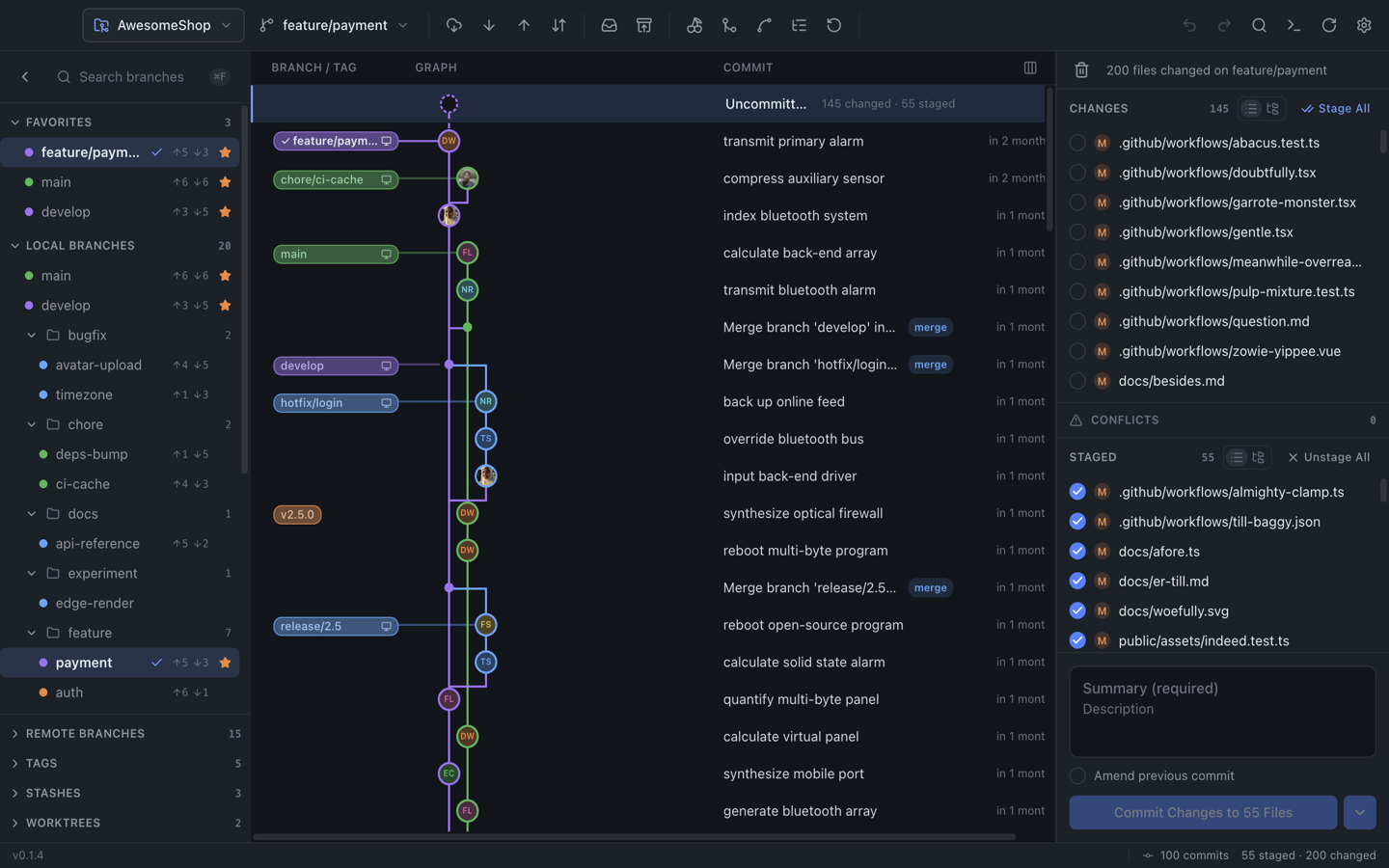
Real local Git operations with a resizable three-pane layout.
⎇
Commit graph
Virtualized SVG lanes with a pending-changes row, infinite scroll, and arrow-key selection across history.
⑂
Branch sidebar
Favorites, remotes, tags, stashes, and worktrees — drag branches to merge or rebase.
±
Working tree
Flat or tree file list, per-hunk staging, conflict resolution, and commit composition.
⇁
Interactive rebase
Reorder, squash, fixup, drop, or edit commits in a dialog before starting the rebase.
⊞
Multi-repo tabs
Open several repositories at once — switch between tabs and pick up where you left off.
◎
Blame & file history
Inline blame overlay with author blocks, per-revision file history, and optional word wrap for long lines.
⇅
Remote sync
Fetch, pull, push, and sync from the toolbar — with ahead/behind counts in the status bar.
⌘
Search & shortcuts
Search commits and files by message or path. Navigate history and drive the UI from the keyboard.
↻
Auto-update checks
Packaged builds compare against GitHub Releases on startup. Check manually anytime from the app menu.
⚙
Real Git backend
Native git CLI in the Electron main process via typed IPC — mock mode available for UI-only dev.
♥
Credits & attribution
Settings credits panel with project links and open-source licenses. Native About dialog on all platforms.
▸
Integrated terminal
Toggle an in-app shell at the repo root with ⌘T — xterm.js backed by node-pty in the main process.
◐
Themes & UI mode
Default, Dracula, Light, Claude, or System appearance. Basic mode hides advanced actions for a simpler toolbar.
◆
Polished layout
Collapsible sidebars with expand rails, resizable panes, and commit graph zoom for dense history views.
 Git Light